Setting Up Flutter CI/CD on GitHub Actions with Three Flavors: Every Bug We Fixed Along the Way
A real-world guide to building a Flutter CI/CD pipeline on GitHub Actions with dev, test, and prod flavors on Android and iOS. Every signing bug, Gradle hang, Xcode configuration trap, and Firebase upload issue we hit, with the exact fix for each.
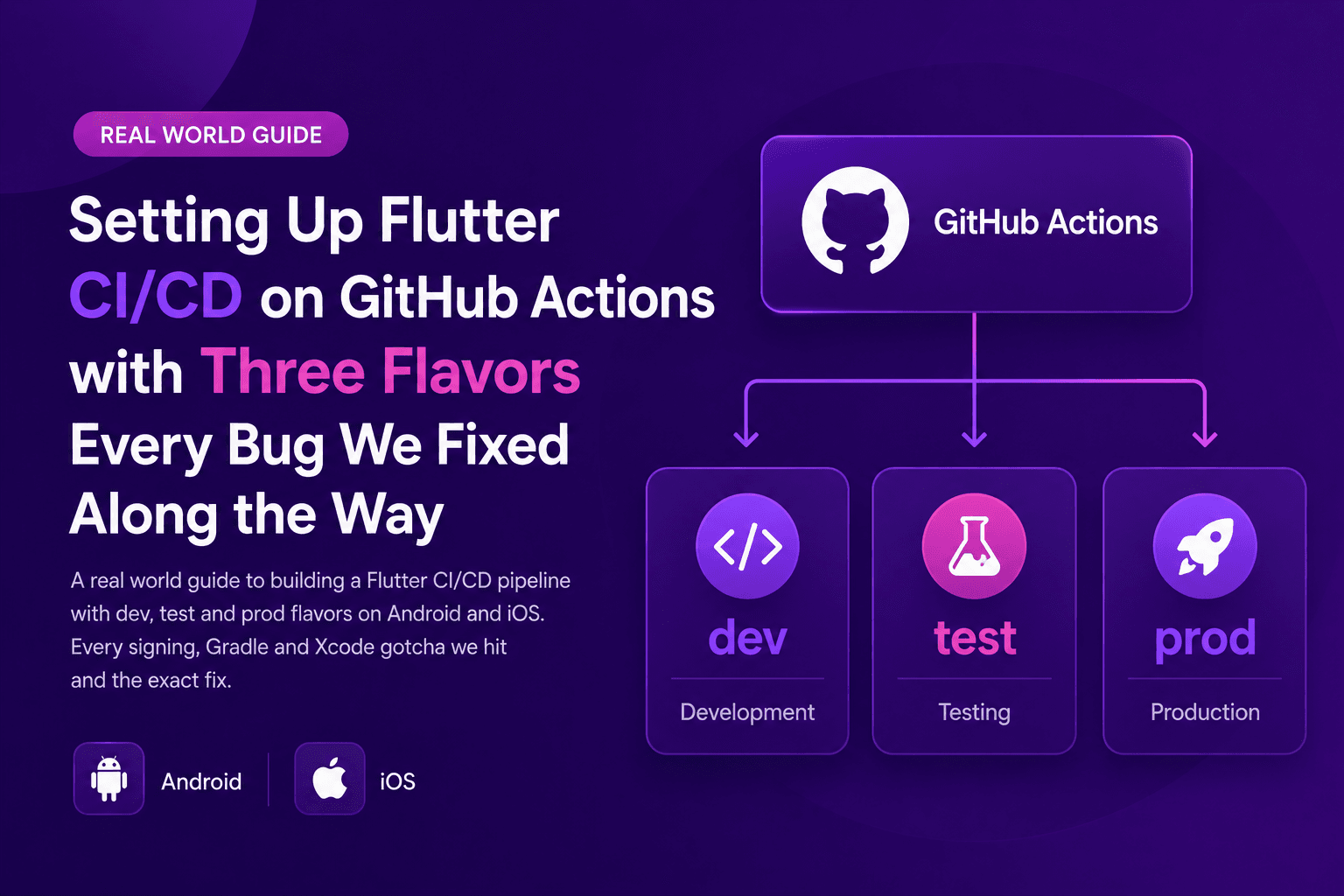
This guide walks through building a Flutter CI/CD pipeline on GitHub Actions with three product flavors (dev, test, prod) shipping to both Android and iOS. Every real-world bug we hit while setting it up is documented with the exact fix, including iOS code signing on a runner that has no Apple ID, Gradle daemon hangs on Kotlin projects, the Xcode flavor vs scheme vs configuration trap, and every Firebase App Distribution gotcha.
I thought this would take a day. It took a week. If you have never wired up a Flutter app with three flavors to GitHub Actions, this post will save you a lot of tears. If you have and you liked it, you're either lying or you got very lucky. This is a walkthrough of the real bugs, the ones that don't show up in the tidy tutorials, and the exact fix for each.
The final workflow works reliably and takes about 30 minutes to build both platforms across all three environments. Getting there involved every layer of the mobile toolchain fighting back at least once.
Why three flavors on Flutter?
If you are building a serious Flutter app for production, you almost certainly want at least three environments: dev for daily hot-reload work, test (staging) for QA and beta users, and prod for real customers. Each needs to be an independently installable app on the same device, which means separate bundle identifiers, icons, display names, backend URLs, and Firebase projects per environment.
Flutter handles this via product flavors. You declare them in Android's build.gradle.kts, and Xcode schemes plus configurations on iOS. Then you build with a flag that names the flavor, and point the entry file at the matching Dart main file.
flutter build apk --flavor dev --target lib/main-dev.dart
flutter build ipa --flavor Development --target lib/main-dev.dart
You will notice the Android and iOS flavor names differ in that example. That is not a typo. It is one of the sharp edges we come back to later in the post.
What each flavor needs
Separate bundle identifiers: com.example.app.dev, com.example.app.test, com.example.app. Prevents install conflicts when two flavors sit on the same phone.
Different app icons: So testers can visually tell dev from prod on their home screen.
Different display names: MyApp Dev, MyApp Test, MyApp. Reinforces the visual separation.
Different backend URLs: Each flavor points at its own API base URL, injected via the Dart main entry file.
Different Firebase projects: Or at least different Firebase apps in the same project, so analytics and crash reports do not mix.
The workflow architecture
The pipeline has one resolve-env job that decides what to build based on the trigger, then two parallel build jobs (Android on ubuntu-latest, iOS on macos-15) that consume its outputs. Pushes to develop build the dev flavor. Pushes to release branches build the test flavor. Version tags build the prod flavor. A manual workflow-dispatch button covers one-off runs during debugging.
# High-level shape of the workflow file
name: Flutter build

on:
  push:
    branches: [develop, release/**]
    tags: [v*]
  workflow_dispatch:
    inputs:
      environment:
        type: choice
        options: [dev, test, prod]

jobs:
  resolve-env:      # runs once, decides what to build
  build-android:    # ubuntu-latest, produces APK/AAB
  build-ios:        # macos-15, produces IPA
Concurrency: what should cancel what?
If you push twice to develop within 30 seconds because you fixed a typo, the second build should cancel the first. Nobody wants two competing dev builds. But if you are cutting two prod releases in a row (say a hotfix on top of a scheduled release), you never want the second one to cancel the first. Cutting prod is expensive, and killing an in-progress prod build mid-flight makes engineers sad.
concurrency:
  group: build-${{ github.ref }}
  cancel-in-progress: ${{ !startsWith(github.ref, 'refs/tags/') }}
Branch pushes cancel in progress. Tag pushes do not. Simple, and it has saved us at least once.
The resolve-env router job
This is the router. Given the trigger, it emits a bundle of outputs the other jobs consume: env_name, flavor, target Dart file, and the iOS scheme name.
- id: pick
  run: |
    if [[ "${{ github.event_name }}" == "workflow_dispatch" ]]; then
      ENV="${{ github.event.inputs.environment }}"
    elif [[ "${{ github.ref }}" == "refs/heads/develop" ]]; then
      ENV="dev"
    elif [[ "${{ github.ref }}" == refs/heads/release/* ]]; then
      ENV="test"
    elif [[ "${{ github.ref }}" == refs/tags/v* ]]; then
      ENV="prod"
    fi

    case "$ENV" in
      dev)
        echo "flavor=dev"                >> "$GITHUB_OUTPUT"
        echo "target=lib/main-dev.dart"  >> "$GITHUB_OUTPUT"
        echo "ios_scheme=Development"    >> "$GITHUB_OUTPUT"
        ;;
      test)
        echo "flavor=devTest"            >> "$GITHUB_OUTPUT"
        echo "target=lib/main-testing.dart" >> "$GITHUB_OUTPUT"
        echo "ios_scheme=DevTest"        >> "$GITHUB_OUTPUT"
        ;;
      prod)
        echo "flavor=prod"               >> "$GITHUB_OUTPUT"
        echo "target=lib/main.dart"      >> "$GITHUB_OUTPUT"
        echo "ios_scheme=Runner"         >> "$GITHUB_OUTPUT"
        ;;
    esac
    echo "env_name=$ENV" >> "$GITHUB_OUTPUT"
Notice we emit two flavor values, one for Android and one for iOS. This was not obvious at the start. It became obvious about four hours in, painfully. Details in the Xcode section below.
How do you handle iOS code signing on a CI runner?
iOS code signing on a GitHub Actions macOS runner requires three things that all have to be in place before Flutter can build an IPA: the Apple Distribution certificate imported into keychain, the provisioning profile installed under ~/Library/MobileDevice, and the Xcode project patched to force manual signing. Automatic signing does not work on CI because the runner has no Apple ID logged in.
On your local Mac, iOS code signing is a solved problem. You open Xcode, log in with your Apple ID, tick Automatically manage signing, and everything works. On a GitHub Actions macOS runner, none of that is true. There is no Apple ID logged in. There are no development certificates in keychain. There are no provisioning profiles installed. When Xcode's automatic signing kicks in during flutter build ipa, it tries to fetch a fresh Development profile from Apple using an Apple ID it does not have, and dies with this error:
Error (Xcode): No Accounts: Add a new account in Accounts settings.
Error (Xcode): No profiles for 'com.example.app.test' were found:
  Xcode couldn't find any iOS App Development provisioning profiles
  matching 'com.example.app.test'.
Step 1: Install the signing certificate
You already have an Apple Distribution certificate on your Mac (assuming you ship apps). Export it as a .p12 file, base64-encode it, and stick it in a GitHub Actions secret.
base64 -i AppleDistribution.p12 | pbcopyPaste that into a secret named IOS_CERTIFICATE_BASE64. Then in the workflow:
- name: Import code-signing certificate
  env:
    P12_B64: ${{ secrets.IOS_CERTIFICATE_BASE64 }}
  if: env.P12_B64 != ''
  uses: apple-actions/import-codesign-certs@v3
  with:
    p12-file-base64: ${{ secrets.IOS_CERTIFICATE_BASE64 }}
p12-password: ${{ secrets.IOS_CERTIFICATE_PASSWORD }}Step 2: Install the provisioning profile
Create an App Store distribution provisioning profile for each bundle ID in the Apple Developer portal, download the .mobileprovision files, and base64-encode each. Store each as its own secret. Then in the workflow, pick the right one based on the current environment.
- name: Pick the env-specific provisioning profile
  id: pick-profile
  env:
    ENV_NAME: ${{ needs.resolve-env.outputs.env_name }}
    DEV_B64:  ${{ secrets.IOS_PROVISIONING_PROFILE_DEV_BASE64 }}
    TEST_B64: ${{ secrets.IOS_PROVISIONING_PROFILE_TEST_BASE64 }}
    PROD_B64: ${{ secrets.IOS_PROVISIONING_PROFILE_PROD_BASE64 }}
  run: |
    case "$ENV_NAME" in
      dev)  PROFILE_B64="$DEV_B64"  ;;
      test) PROFILE_B64="$TEST_B64" ;;
      prod) PROFILE_B64="$PROD_B64" ;;
    esac
    echo "$PROFILE_B64" | base64 --decode > /tmp/profile.mobileprovision

- name: Install provisioning profile
  run: |
    mkdir -p ~/Library/MobileDevice/Provisioning\ Profiles
    UUID=$(security cms -D -i /tmp/profile.mobileprovision \
             | plutil -extract UUID raw -)
    cp /tmp/profile.mobileprovision \
       "$HOME/Library/MobileDevice/Provisioning Profiles/$UUID.mobileprovision"
The UUID extraction is important. macOS expects provisioning profiles to be filed by their UUID, not by their human-readable name.
Step 3: Force manual signing in the Xcode project
This is the piece nobody tells you about. Even with the cert and profile installed, flutter build ipa will happily try automatic signing because your Runner.xcodeproj says CODE_SIGN_STYLE = Automatic for every configuration. You need to patch project.pbxproj at CI time. We use a small Python script.
- name: Force manual signing on Runner.xcodeproj
  run: |
    PROFILE_NAME=$(security cms -D -i /tmp/profile.mobileprovision \
                     | plutil -extract Name raw -)

    python3 - "$PROFILE_NAME" <<'PY'
    import sys
    from pathlib import Path

    profile_name = sys.argv[1]
    pbx = Path('ios/Runner.xcodeproj/project.pbxproj')
    text = pbx.read_text()

    # Switch every config from Automatic to Manual signing
    text = text.replace(
        'CODE_SIGN_STYLE = Automatic;',
        'CODE_SIGN_STYLE = Manual;',
    )
    # Fill in the empty PROVISIONING_PROFILE_SPECIFIER
    text = text.replace(
        'PROVISIONING_PROFILE_SPECIFIER = "";',
        f'PROVISIONING_PROFILE_SPECIFIER = "{profile_name}";',
    )
    # Explicitly set the identity to Apple Distribution
    if 'CODE_SIGN_IDENTITY = "Apple Distribution"' not in text:
        text = text.replace(
            'DEVELOPMENT_TEAM = YOUR_TEAM_ID;',
            'DEVELOPMENT_TEAM = YOUR_TEAM_ID;\n'
            '\t\t\t\tCODE_SIGN_IDENTITY = "Apple Distribution";',
        )

    pbx.write_text(text)
    print(f'Runner.xcodeproj patched, profile: {profile_name}')
    PY
Only the CI runner filesystem is touched. Your local Xcode project stays on automatic signing so daily development still just works.
Step 4: Tell Xcode which profile to export with
Xcode needs an ExportOptions.plist to know how to sign the exported IPA. We commit one per environment.
<!-- ios/ExportOptions-test.plist -->
<?xml version="1.0" encoding="UTF-8"?>
<plist version="1.0">
<dict>
    <key>method</key>
    <string>app-store</string>
    <key>teamID</key>
    <string>YOUR_TEAM_ID</string>
    <key>signingStyle</key>
    <string>manual</string>
    <key>provisioningProfiles</key>
    <dict>
        <key>com.example.app.test</key>
        <string>MyApp Test Distribution</string>
    </dict>
    <key>signingCertificate</key>
    <string>Apple Distribution</string>
</dict>
</plist>
Then reference it during build:
flutter build ipa \
  --release \
  --flavor DevTest \
  --target lib/main-testing.dart \
--export-options-plist=ios/ExportOptions-test.plistAndroid keystores and Gradle daemons
Compared to iOS, Android signing is straightforward. Base64-encode your release.jks keystore, store it as a GitHub Actions secret, decode it at build time into android/app/keystore/release.jks, and write a matching key.properties file. Then handle the Gradle daemon hang that shows up on CI with large JVM heaps by disabling the daemon and capping heap size at build time.
Keystore setup
Same pattern as the iOS certificate. Base64-encode your release.jks and store as a secret.
base64 -i release.jks | pbcopyThen decode at CI time and write out key.properties.
- name: Decode Android keystore
  env:
    ANDROID_KEYSTORE_BASE64: ${{ secrets.ANDROID_KEYSTORE_BASE64 }}
  run: |
    mkdir -p android/app/keystore
    echo "$ANDROID_KEYSTORE_BASE64" | base64 --decode \
      > android/app/keystore/release.jks
    {
      echo "storeFile=keystore/release.jks"
      echo "storePassword=${{ secrets.ANDROID_KEYSTORE_PASSWORD }}"
      echo "keyAlias=${{ secrets.ANDROID_KEY_ALIAS }}"
      echo "keyPassword=${{ secrets.ANDROID_KEY_PASSWORD }}"
} > android/key.propertiesThe Gradle daemon hang
Here is an ugly one. Our project's android/gradle.properties requested a lot of heap for local development. On a beefy Mac that is fine. On CI, with Gradle 8.14 and Kotlin 2.2, we saw builds hang for 30 minutes or more on the Kotlin compiler task. No error, no timeout, nothing useful in the logs. The daemon eventually gave up and the job failed without a useful message.
The fix was to append CI-only overrides to gradle.properties at build time.
- name: Tune Gradle for CI (disable daemon, cap heap)
  run: |
    {
      echo ""
      echo "# CI overrides (appended at build time; never committed)"
      echo "org.gradle.daemon=false"
      echo "org.gradle.parallel=false"
      echo "org.gradle.configureondemand=false"
      echo "org.gradle.jvmargs=-Xmx4g -XX:MaxMetaspaceSize=1g"
      echo "kotlin.compiler.execution.strategy=in-process"
    } >> android/gradle.properties
What each Gradle override does
org.gradle.daemon=false: The daemon on CI has nothing to persist to, and its startup and shutdown is a common hang point on Gradle 8+ with Kotlin 2.x.
org.gradle.jvmargs=-Xmx4g: The runner has less RAM than your dev machine. Asking for 8G swaps to disk and everything gets slow.
org.gradle.parallel=false: Parallel workers compete for the small heap.
kotlin.compiler.execution.strategy=in-process: Runs the Kotlin compiler in the same JVM as Gradle instead of spawning a separate daemon. Slower per compile, but eliminates one more daemon-related hang class.
Our Android build time went from hangs indefinitely to a reliable 25 minutes or so.
The Gradle version mismatch on the default branch
One more Android trap. Our project uses Flutter 3.38.x, which requires Gradle 8.3 or newer because Flutter's own FlutterPlugin.kt uses the filePermissions API that only exists in that Gradle range. Our default branch had been sitting on Gradle 7.6.3 for a while. When we triggered a workflow run from GitHub's UI, it defaulted to running against main and Android failed almost immediately with:
e: FlutterPlugin.kt:744:21 Unresolved reference: filePermissionsThe fix was to make sure the Gradle wrapper on every long-lived branch was at least 8.3. Lesson: run your first CI attempts against the branch that has the most modern tooling, and update main before merging anything that expects it.
The Xcode flavor vs scheme vs configuration trap
On iOS, Flutter's --flavor flag actually maps to two Xcode concepts at once: the scheme name and the prefix on the build configuration. That means when you pass --flavor Foo, Xcode must have a scheme named Foo AND build configurations named Debug-Foo, Release-Foo, and Profile-Foo. If either is missing, Flutter errors with a message that looks straightforward but misleads.
Flutter's --flavor flag means something subtly different on Android vs iOS. On Android, --flavor X matches an entry in productFlavors. On iOS, --flavor X matches an Xcode scheme name and requires build configurations named Debug-X, Release-X, and Profile-X to exist.
If your Android and iOS naming conventions match, you get away with a single value. Ours did not.
Dev: Android flavor 'dev', iOS scheme 'Development', iOS release config 'Release-Development'.
Test: Android flavor 'devTest', iOS scheme 'DevTest', iOS release config 'Release-DevTest'.
Prod: Android flavor 'prod', iOS scheme 'Runner', iOS release config just 'Release' with no suffix.
Problem 1: case-insensitive luck on the Test flavor
Our Test build worked for a while because Flutter's iOS build matches scheme names case-insensitively, and devTest case-insensitively matches DevTest. Great, we thought, the same string works for both platforms. Then we tried Dev. Flutter looked for an iOS scheme named dev. There was not one. It errored with:
The Xcode project defines schemes: Development, DevTest, Runner
You must specify a --flavor option to select one of the available schemes.
The fix was to emit two flavor values from resolve-env, one for each platform, and use the right one in each job.
# Android job
flutter build apk --flavor ${{ needs.resolve-env.outputs.flavor }} ...

# iOS job
flutter build ipa --flavor ${{ needs.resolve-env.outputs.ios_scheme }} ...
Problem 2: prod uses the default config
Even with the scheme name fixed, prod hit a new wall.
The Xcode project defines build configurations: Debug, Debug-Development,
Debug-DevTest, Release, Release-Development, Release-DevTest, Profile,
Profile-Development, Profile-DevTest

Flutter expects a build configuration named Release-Runner or similar.
The Runner scheme (our prod scheme) uses the plain Release config with no suffix. Passing --flavor Runner makes Flutter look for Release-Runner and fail.
The fix is small and instructive.
FLAVOR_ARG=""
if [ "$IOS_SCHEME" != "Runner" ] && [ -n "$IOS_SCHEME" ]; then
  FLAVOR_ARG="--flavor $IOS_SCHEME"
fi
flutter build ipa --release $FLAVOR_ARG --target ...
For Runner (prod), we do not pass --flavor at all. Flutter picks the default Runner scheme and default Release configuration, which is exactly the right combination for prod.
On iOS, --flavor is not always the right answer. Sometimes the right answer is no flavor at all.
Firebase App Distribution, and why we eventually left it
We initially planned Firebase App Distribution for test-build delivery. The setup took five debugging rounds before we got a green upload on both platforms. The problems ranged from GitHub Actions silently masking secrets in job outputs, to Docker container actions being incompatible with macOS runners, to Firebase CLI failing to pick up shell-exported credentials.
Round 1: the secrets output masking trap
We stored the Firebase App IDs (like 1:864788122662:ios:...) as secrets, planning to reference them in if conditions. GitHub Actions promptly refused to expose them as job outputs. The resolve-env job's annotations said:
Skip output 'firebase_ios_app_id' since it may contain secret.Because the values came in through secrets.*, GitHub considered them confidential and blanked the output. The downstream `if: firebase_ios_app_id != ''` condition on the upload steps quietly evaluated false, and Firebase uploads were silently skipped. The build was green. Nothing hit Firebase.
Fix: hardcode the Firebase App IDs in the workflow. They are not actually confidential. They live in every user's GoogleService-Info.plist inside the shipped app. Once hardcoded, the outputs flowed through unmasked.
Round 2: masking persisted after hardcoding
After hardcoding, we still saw the same Skip output warning. Turns out GitHub's output masker checks values against every registered secret in the repository, not just currently-referenced ones. Our old FIREBASE_*_APP_ID_* secrets were still stored, so the hardcoded values matched them and got blanked.
Fix: delete the unused secrets from repo settings. Then GitHub had nothing to compare against, and the outputs flowed through.
Round 3: container action on macOS
We were using wzieba/Firebase-Distribution-Github-Action@v1 for both platforms. It works fine on the ubuntu-latest Android job. On the macos-15 iOS job, it dies with:
##[error]Container action is only supported on LinuxThat action is a Docker container. GitHub Actions only supports container actions on Linux runners. Fix: switch to Google's own firebase-tools CLI, called from a shell step. Same code on both runners.
- name: Upload to Firebase App Distribution
  env:
    SA_JSON: ${{ secrets.FIREBASE_SERVICE_ACCOUNT_JSON }}
    GOOGLE_APPLICATION_CREDENTIALS: /tmp/firebase-sa.json
  run: |
    echo "$SA_JSON" > /tmp/firebase-sa.json
    npm install -g firebase-tools@13

    IPA_PATH=$(ls build/ios/ipa/*.ipa | head -1)
    firebase appdistribution:distribute "$IPA_PATH" \
      --app "$FIREBASE_APP_ID" \
      --groups "$FIREBASE_GROUPS" \
      --release-notes "$RELEASE_NOTES"

    rm -f /tmp/firebase-sa.json
Round 4: the IPA filename varies by flavor
Prod produces MyApp.ipa. Dev produces Release Dev.ipa. Test produces Release DevTest.ipa. The filename depends on the iOS display name for each flavor, and Flutter does not emit a stable name.
Fix: use a shell glob and pick whatever is there. Note the quoting: filenames with spaces need to survive the pipe.
IPA_PATH=$(ls build/ios/ipa/*.ipa | head -1)
firebase appdistribution:distribute "$IPA_PATH" ...
Round 5: the auth env var placement
We set GOOGLE_APPLICATION_CREDENTIALS via export inside the shell.
run: |
  echo "$SA_JSON" > /tmp/firebase-sa.json
  export GOOGLE_APPLICATION_CREDENTIALS=/tmp/firebase-sa.json
  firebase appdistribution:distribute ...
Firebase tools reported:
Error: Failed to authenticate, have you run firebase login?For reasons I still do not fully understand, firebase-tools did not pick up the exported variable. Moving GOOGLE_APPLICATION_CREDENTIALS up to the step-level env block fixed it.
- name: Upload
  env:
    SA_JSON: ${{ secrets.FIREBASE_SERVICE_ACCOUNT_JSON }}
    GOOGLE_APPLICATION_CREDENTIALS: /tmp/firebase-sa.json
  run: |
    echo "$SA_JSON" > "$GOOGLE_APPLICATION_CREDENTIALS"
    firebase appdistribution:distribute ...
The step-level env block is set before the shell starts. Firebase tools' Node subprocess reads it at initialization. An export inside the shell script runs later, and for whatever reason was not visible to the CLI's early credential lookup.
Why we still eventually moved off Firebase
After all that work, we realised we already had testers set up in Play Store Internal Testing and Apple TestFlight. Firebase App Distribution was a third distribution channel for the same audience. It added an extra install experience (Firebase's installer, Play Protect prompts) instead of using the native store apps testers already have.
For a team without a live app on either store, Firebase is genuinely great. Fast install, no store review, works on anyone with an email address. For a team that already has a shipping app and set-up beta testers, it is a middle step you can delete. We now use direct TestFlight and Play Store Internal uploads via Fastlane, but that is another blog post.
Lessons learned
- 1
Every one-line fix is a rabbit hole: Almost every problem we solved revealed another one. The iOS signing failure led us to manual signing, which led us to the pbxproj patch, which led us to the ExportOptions plist, which led us to the scheme-vs-config trap. Budget accordingly. Assume every green checkmark is temporary.
- 2
GitHub Actions has invisible rules: You cannot reference secrets in step-level if conditions. Output masking checks values against every registered secret, not just currently-used ones. Neither is documented next to where you would find them, and both cost hours.
- 3
iOS flavor is really three things: When you write --flavor X on iOS, Flutter uses X as the scheme name and the prefix on Debug-X, Release-X, and Profile-X configurations. If either does not exist, Flutter errors with a message that looks straightforward but is misleading. The prod case (no Release-Runner config exists) is especially confusing because the fix is to not pass --flavor at all.
- 4
Docker container actions do not work on macOS runners: If you are mixing platforms in one workflow, prefer JavaScript-based actions or shell steps. Docker container actions silently fail on macOS every time.
- 5
Xcode version matters: Some Flutter plugins use APIs from newer iOS SDKs. macos-14 runners default to Xcode 15 with iOS 17 SDK. We had to bump to macos-15 (Xcode 16) to get past a Type 'AVCaptureSession' has no member 'wasInterruptedNotification' compile error. If you are on an older runner, you will hit similar issues with any plugin that assumes a modern SDK. Move to macos-15 from day one.
- 6
Read Flutter's own build output: The GitHub Actions job overview shows success or failure per step. But the actual reason a step failed is often buried in Flutter's own output: the Xcode subprocess errors, the Gradle stack trace, the Firebase CLI message. Get comfortable with gh run view --log-failed or scrolling deep into the browser UI. The summary lies.
- 7
Every run costs money once you exceed the free tier: GitHub Actions gives you 2,000 free minutes per month on the Free plan. Each of our full runs cost about 40 minutes. Twenty debugging iterations later, you have burned the whole month. Debug in small pieces: run only Android or only iOS via a workflow_dispatch boolean input, cancel runs the moment you notice they are going to fail, and test the smallest possible change per iteration.
What I would do differently next time
Start with one env, get it fully green, then multiply
We built the whole three-env matrix at once, then debugged it as one giant thing. That was a mistake. The fixes for Dev iOS overlapped with the fixes for Prod iOS but were also subtly different. Debugging both at the same time made it hard to tell which change fixed what. Better approach: get Test env fully green on both platforms. Then copy the working pattern to Dev. Then Prod. Each env should be a small step, not a fresh set of unknowns.
Force manual signing from the very first attempt
We wasted an hour trying to make automatic signing work on CI. It never will. There is no Apple ID logged into a CI runner and there never will be. Set up manual signing on day one. Automatic signing is a local development convenience, not a CI strategy.
Adopt macos-15 immediately
Save yourself the Xcode-15-does-not-have-that-API rabbit hole. macos-15 is stable, has Xcode 16, and just works with modern plugins.
Prefer JavaScript actions over Docker container actions
A lot of otherwise-nice GitHub Actions marketplace actions are Docker-based. They do not work on macOS runners. If you might ever need cross-platform, avoid them.
Consider whether you need cloud CI at all
Cloud CI is worth it when you have multiple engineers pushing code, you need reproducible builds independent of any one machine, and you want to gate merges on green CI. It is not worth it when you are a solo developer or tiny team, you have a beefy Mac with everything already installed, and you want fast iteration without signing up for a runner budget.
For the second case, Fastlane running locally on your Mac does everything a cloud CI pipeline does, faster, with no minute quota, using tools you already have installed. The right question is not how do I make this cloud CI setup work. It is what do I actually need to be automated. If the answer is I want to type one command and have it ship to TestFlight and Play Store Internal, that is Fastlane on your Mac, not GitHub Actions in the cloud.
Closing
The final workflow works. It builds, signs, packages, and (until we moved to direct store uploads) distributed all three environments across both platforms. It takes about 30 minutes per full run. The YAML is well-commented, the failure modes are known, and adding a new environment would take an hour of work now instead of a week.
Getting there involved every layer of the toolchain (Gradle, Kotlin, Xcode, code signing, Flutter's own build tool, GitHub Actions' opaque behaviours, Firebase's CLI, and half a dozen provisioning-profile subtleties) pushing back at least once. The tidy how-to-set-up-Flutter-CI guides skip most of them. If you are setting one up yourself, print this post out and check off each bullet as you go. And if you are on the tenth iteration of why did the build fail this time, you are normal. Everyone hits every one of these at least once.
If you need a partner to build or rescue a Flutter app, from CI/CD through the App Store and Play Store launch, that is exactly the kind of work we ship at ETechViral. For a look at how a production Flutter build ends up in real users' hands, see the CallHome case study. Have a similar story or a different fix for one of the traps described here? I would love to hear about it.
- Flutter
- CI/CD
- GitHub Actions
- iOS
- Android
- DevOps
- Code Signing
- Gradle
- Xcode
Related articles
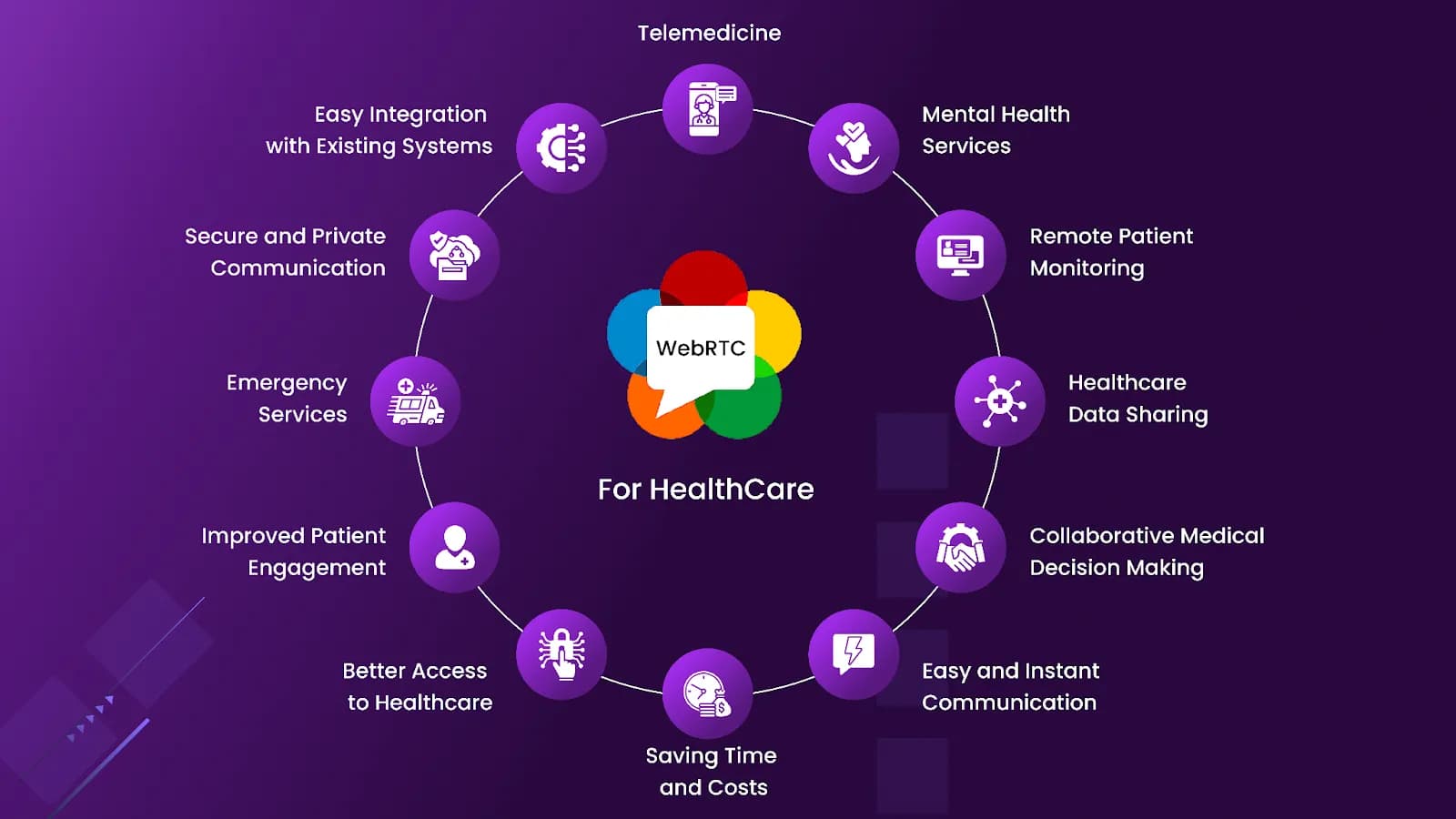
What are the Benefits of WebRTC Services for the Healthcare Domain?
Technology is changing healthcare, and WebRTC is a key part of the shift, virtual visits, remote monitoring, and secure collaboration straight from the browser. A look at how the protocol is reshaping patient care and medical services.
7 min read
How to Secure Your WebRTC Communications with Encryption: A Detailed Guide
WebRTC powers low-latency video, voice, and data across the browser, but with rising cyber threats, encryption is no longer optional. A walk-through of DTLS, SRTP, key exchange, and practical steps to keep real-time communication safe.
4 min read
Self-Hosting n8n in Production: A Real-World Setup Guide (nginx, PM2, Node, and the Bugs Nobody Warns You About)
A step-by-step, battle-tested guide to self-hosting n8n on your own server with nginx, PM2, and the correct Node version, plus fixes for the localhost webhook URL bug, npm install stalls, and password resets without SMTP.
15 min read