Loop Engineering Explained
A six-step framework for running AI agents in iterative loops: trigger, goal, context, tools, verification, stop condition. Built from a real animation project where four of five plausible fixes measured worse than the bug.
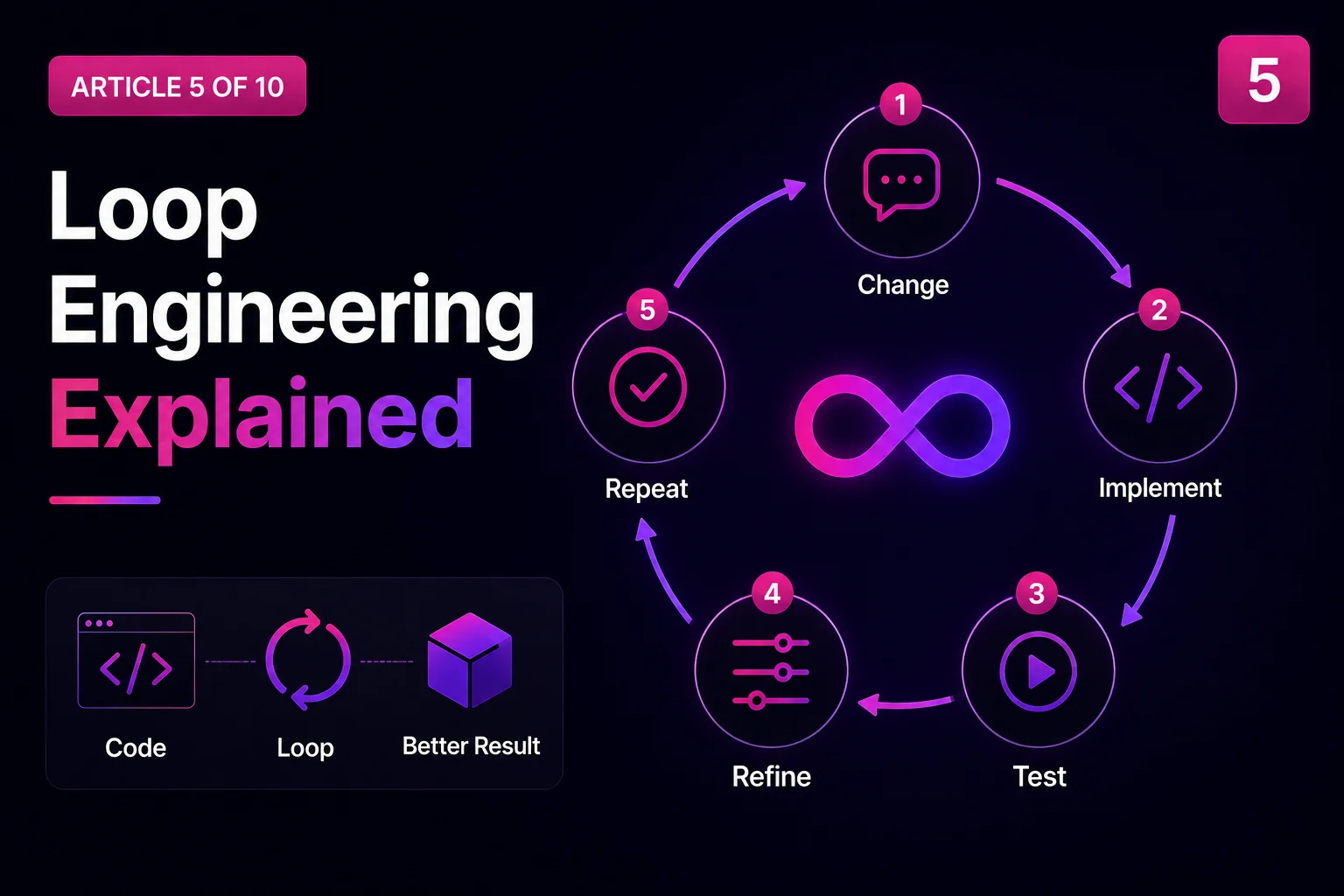
A single prompt gets a system built. It does not get it correct.
The ASL Sign Character project reached it signs a sentence in one long session. Getting from there to it signs 48 sentences without hands passing through the chest took seven more, and none of them were one-shot prompts. They were loops.
This article is the framework I ended up with, in six steps, with the real numbers from each.
The headline result, so you know what the loop was worth: 4,062 artifacts down to 118 across a 48-sentence corpus. And along the way, four of five plausible fixes measured worse than the bug they were meant to fix. That second number is the actual argument for loop engineering.
Why loops, not prompts
Ask an agent to fix a visual artifact and it will propose something reasonable. The proposal is generated from what usually causes that kind of artifact, which is a prior, not a measurement.
Sometimes the prior is right. When it is not, you get a plausible change, the symptom shifts somewhere else, and you have made the system more complicated without making it better.
The loop replaces does this sound right with did this measure better.
+------------------------------------------------------+
|                                                      |
|   1 TRIGGER --> 2 GOAL --> 3 CONTEXT --> 4 TOOLS     |
|       ^                                      |       |
|       |                                      v       |
|   6 STOP CONDITION <-------------- 5 VERIFICATION    |
|       |                                              |
|       +-- not met: next iteration ---------------+   |
|                                                  |   |
+--------------------------------------------------+---+
                                                   |
                                    met: exit -----+
The order matters. Verification comes before the stop condition, because you cannot decide whether to stop without a measurement.
Step 1: Trigger
What starts an iteration?
Three trigger types showed up in this project.
Self-paced
/loop without an interval puts the agent in dynamic mode: it does the work, then schedules its own next wake-up.
ScheduleWakeup(
  delaySeconds: 1500,
  reason: "No external gate to watch; continuing self-paced iteration
           on the remaining flicker sources and ASL accuracy.",
  prompt: "/loop <the original loop prompt verbatim>"
)
Event-driven
If the next iteration depends on something observable (a build finishing, a file changing) you wait on the event rather than a clock.
Human interrupt
The most valuable trigger in this project was a human looking at the screen:
Start the next iteration and perform another complete animation quality check.
Run the application locally and test the sentence: "Yesterday I went to school".
Carefully inspect the animation frame by frame. The hand movement during the
"school" sign is still flickering.
Why this matters: the automated detector said things were fine. A person watching said SCHOOL was still flickering. They were both right, since the detector was measuring in model-space units where the wobble looked negligible.
Step 2: Goal
What is the loop driving toward? For the shape of the goal itself, see Part 4 on designing the goal prompt.
The real loop prompt from this project, abbreviated to its structure:
Continuously improve the ASL avatar until it reaches production-quality
animation. On every loop, run the project locally, inspect the generated
animations, identify quality issues, fix them, verify the fixes, and repeat.

Priority 1:
- Remove all animation flickering, jitter, snapping, and unstable interpolation.
- Specifically verify "Hi, my name is Muhammad". Observe the "name" sign frame
  by frame and eliminate any hand flipping, wrist twisting, or unstable motion.

Priority 2:
- Improve facial animation so the avatar behaves like a real Deaf ASL signer.

Priority 3:
- Perform full collision validation.
- Hands must never pass through each other. Fingers must never intersect.

Priority 4:
- Validate ASL accuracy using the sentences:
  Hi, my name is Muhammad / I love you / Thank you /
  Nice to meet you / How are you?
Three properties make this work as a loop goal rather than a task.
- 1
Priorities are numbered: An iteration has finite budget. Numbered priorities tell the agent what to sacrifice when it cannot do everything. In practice Priority 1 got most of the attention for several iterations, and I had to say so explicitly in the reports. Priority 2 and 4 were under-served, and naming that is how the next iteration corrected.
- 2
Named test cases: Five specific sentences, plus Hi, my name is Muhammad called out for frame-by-frame inspection. A loop needs a fixed benchmark or improvements are not comparable across iterations.
- 3
A quality bar per priority, not a global one: Hands must never pass through each other is checkable. Make it good is not.
Engineering note: notice what the goal does not say. It does not name a technique, a file, or a fix. Loop goals describe the state you want; the loop discovers how.
Step 3: Context
What does each iteration need to know that the last one learned?
This is the step people skip, and it is what separates a loop from repeated flailing. Without carried context, iteration 6 re-tries what iteration 3 already disproved.
Three mechanisms carried context here.
Rejected fixes, recorded in the code
The most valuable one. When a plausible fix measured worse, the measurement went into the source as a comment:
/**
 * Fastest a correction may *grow* to escape a collision.
 *
 * The asymmetry with the settle rate is the whole point and it is large: the
 * hand should never have been inside the body, so getting out is urgent, while
 * easing back onto the true target is not.  Slowing BOTH to 1.2 cut flicker
 * (141 -> 112) but let collisions straight back in (head penetration 0 -> 53).
 */
const MAX_ESCAPE_RATE = 14.0;
Why in the code and not a notes file: the next person to look at MAX_ESCAPE_RATE and think that seems high reads the reason immediately. A separate document does not get read at the moment of temptation.
The full rejected list from this project:
Deadband on correction: flicker 209 to 362. Rejected.
Low-pass filter on carried offset: total 230 to 3286. Rejected.
Stateless solve-from-zero each frame: flicker 163 to 10, total 181 to 3365. Rejected.
Fixed-point convergence: flicker 141 to 151. Rejected.
Slowing both correction rates: head penetration 0 to 53. Rejected.
Every one is a reasonable thing to try. Four of five made the system worse. The third is the interesting one: it nearly eliminated flicker (163 to 10) while multiplying total artifacts by 18x. Optimising one metric at the cost of the others is the classic loop failure, and only a multi-metric verification catches it.
A persistent memory file
Findings that outlive a session, the interpolation bug, the intended-contact concept, the pixel-measurement lesson, went into a memory file that loads at session start.
A fixed corpus
48 sentences, held constant across every iteration:
'Hi, my name is Muhammad', 'I love you', 'Thank you', 'Nice to meet you',
'How are you?', ... 'Xyzzyplugh qwerty jazz buzz', 'Mississippi',
'abcdefghijklmnopqrstuvwxyz', '0123456789', ...
Reference sentences, ordinary sentences, long stress sentences, pure fingerspelling, digits, and nonsense words that force every letter shape.
Why it must not change: the moment you edit the corpus, cross-iteration comparisons are meaningless. Add cases at the end; never modify or remove.
Step 4: Tools
What can the agent actually do?
A loop is only as good as its ability to act and observe. Four categories mattered here.
Run the real thing
The app runs locally; the agent drives it through the browser and evaluates JavaScript against the live scene. Not a mock, not a unit test: the actual renderer with the actual GLB.
Debug toggles
The single highest-leverage piece of tooling. Every subsystem can be switched off at runtime:
/** set false to inspect the raw, unconstrained solve */
constraintsEnabled = true;
/** debug switch: isolate the wrist limiter from the rest of the constraints */
wristLimitEnabled = true;
/** debug switches: isolate each collision resolver when bisecting artifacts */
resolvers = { body: true, handHand: true, handLimb: true, swivel: true };
Why this exists: it turns something is causing flicker into a bisection.
Real numbers from one iteration, running the corpus with different subsystems disabled:
all resolvers on: 115 flicker events.
all resolvers off: 58 flicker events.
handHand off: 71 flicker events.
body off: 111 flicker events.
handLimb off: 111 flicker events.
swivel off: 112 flicker events.
Read that list. 58 events survive with everything off, so half the flicker is not the collision system at all, it is baked into the keyframes. And handHand accounts for roughly 44 of the remainder, because turning it off drops 115 to 71.
Without toggles this is guesswork. With them it is fifteen minutes.
Purpose-built probes
When the standard metrics could not answer a question, the loop added a probe. Chasing a wobble meant knowing where the posed wrist went, not just where the keyframe asked it to go:
/**
 * Wrist path of the *posed* rig (after IK, wrist limits and every
 * resolver) sampled at a fixed rate.  The synthesised target is not
 * enough to chase flicker: most of it is introduced by the solve.
 */
trace(keys: Keyframe[], duration: number, fps = 60) { ... }
That probe is what revealed the decisive clue: X and Y perfectly smooth, Z alone sawtoothing every other frame. A period-2 limit cycle. You cannot see that in an aggregate artifact count.
Visual rendering
Numbers say a morph moved 24,132 vertices. They do not say the face looks swollen. A filmstrip renderer produces a contact sheet of N moments through a performance, and blender/preview_morphs.py renders one face close-up per morph.
Step 5: Verification
How do you know the change helped?
This is the step the whole framework exists to serve.
Build the instrument first
web/src/asl/diagnostics.ts detects 15 kinds of artifact:
export type ArtifactKind =
  | 'bodyPenetration'
  | 'headPenetration'
  | 'fingerCollision'
  | 'fingertipInPalm'
  | 'handCollision'
  | 'handInForearm'
  | 'armCollision'
  | 'wristOverBend'
  | 'elbowLocked'
  | 'elbowFolded'
  | 'jitter'
  | 'teleport'
  | 'handFlip'
  | 'flicker'
  | 'morphFlicker';
It was written before most of the fixes. That ordering is the point: you cannot evaluate a fix with an instrument you build afterwards to confirm it.
Thresholds must justify themselves
Every threshold carries the reasoning for its value:
/**
 * Hand angular speed, in degrees per second, above which a turn reads as a
 * snap rather than a movement.  A signer's hand peaks somewhere near
 * 600-900 deg/s; the flip this caught during NAME was 18,000.
 */
handSpin: 1500,
Why the comment matters: a bare handSpin: 1500 is a magic number that someone will tune later. With the reasoning attached, you can see that 1500 sits above real human motion and far below the 18,000 it was built to catch.
Some thresholds are derived rather than written, and there is a story in that:
/**
 * Radians from the forearm axis.  Derived from the limiter's own value rather
 * than written out again: when the two drifted apart the detector flagged 408
 * frames that were sitting exactly on the allowed limit.
 */
wristSwing: WRIST_LIMITS.swing + 0.04,
The failure this prevents: the detector and the thing it detects held the same constant in two places. Someone changed one. The detector then reported 408 false positives, poses that were exactly at the limit the limiter had allowed.
Measure in units the user perceives
I got this wrong twice, and it is the most transferable lesson here.
Twice I described a residual wobble as sub-millimetre, invisible based on model-space numbers. The character is about 11 units tall in model space. Those numbers meant nothing on their own.
Projecting the wrist through the actual camera told a different story:
median 3.6 px, worst 17.4 px, all 105 reversals above 1 pxClearly visible. The metric said fine; the screen said no.
After the fix, the same measurement on the reference sentence:
Hi, my name is Muhammad: 26 reversals, median 0.78 px, max 1.64 px,
0 events above 2 pxVerify across conditions
Every measurement ran at 30, 60 and 120 fps.
Why: a bug that only appears at one frame rate is usually a frame-rate dependency, state updated per-frame instead of per-second. Several artifacts in this project appeared at 60fps and vanished at 120fps, which correctly identified them as sampling effects rather than animation defects.
Step 6: Stop Condition
When does the loop end?
Three ways a loop should be able to end, and you want all three.
The goal is met
For a /goal-driven session, the stop hook clears itself when the condition holds.
Diminishing returns
The honest one. Iteration results from this project:
Baseline (unconstrained): 4,062 total artifacts.
Intermediate iterations: Down to 153.
Iteration 5: 138. Interpolation rewritten.
Iteration 6: 118. Collision limit cycle fixed.
Iteration 7: 118. Facial morph fields fixed.
Iteration 7 changed the total by zero, deliberately. It fixed two facial bugs that the geometric detector cannot see, and the corpus was checked to confirm no regression. An unchanged number was the goal, not a failure.
Explicit termination
ScheduleWakeup(stop: true)A loop must be stoppable. In this project the loop was stopped when the work pivoted to writing documentation, since continuing to schedule animation iterations while writing articles would have interleaved two unrelated jobs.
What a stop condition should not be
No artifacts. The corpus still reports 110 flicker events, and most are not bugs. A repeated sign genuinely reverses direction, since SCHOOL claps, NAME taps. The detector cannot distinguish a real clap from a solver oscillation, so zero is not the right target.
The way to tell them apart turned out to be the correction offset at that instant: approximately 0 means the motion is the authored sign, not cleanup fighting the animation. That is a better stop condition than a raw count.
The loop in practice: one real iteration
Putting all six together, here is iteration 6 as it actually ran.
- 1
Trigger: Self-paced wake-up from the previous iteration.
- 2
Goal: Priority 1: remove flickering, jitter, snapping, unstable interpolation.
- 3
Context: Five previously rejected fixes recorded in code comments. Do not retry them.
- 4
Tools: Resolver toggles for bisection; the trace probe for posed-wrist paths.
- 5
Verification: Bisect first, then the trace probe on a failing sentence.
Bisection numbers:
all resolvers on:   115 flicker
all resolvers off:   58 flicker
Half is not the collision system. Of the remainder, handHand dominates. Then the trace probe on a failing sentence:
t=0.783  z=633.5
t=0.792  z=635.8
t=0.800  z=628.0   <- down 7.8
t=0.808  z=630.1   <- up 2.1
t=0.817  z=622.2   <- down 7.9
t=0.825  z=624.3   <- up 2.1
X and Y perfectly smooth. Z sawtoothing every other frame. A period-2 limit cycle riding on smooth motion.
Root cause: the release logic decayed corrections toward zero while the resolvers pushed toward the constraint surface. Two targets that never coincide, so the hand crossed the surface on alternate frames indefinitely.
Fix: make the release speculative. Propose the decay, re-solve, keep it only if the pose is still collision-free.
Re-measure:
total       138 -> 118
handCollision 11 ->  6
handInForearm  8 ->  2
bodyPenetration 4 -> 0
Stop condition: Priority 1 improved, no regressions, schedule the next iteration.
When the loop lies to you
The most important thing I learned, and it nearly shipped.
Mid-iteration, a change produced a dramatically better score:
total 76, flicker 72, handCollision 2, handInForearm 2Best result of the entire project. Every metric down.
It was wrong. My clearance predicate returned max(0, penetration), so it could never go negative. So release this correction only if there is clearance to spare was unsatisfiable, and the release silently never fired. Corrections became permanent. The hands stopped oscillating because they stopped moving back to where they belonged.
How it was caught: the number was suspiciously flat. Sweeping a parameter across a wide range produced identical results at every value:
margin 0.003 -> total 76
margin 0.006 -> total 76
margin 0.010 -> total 76
margin 0.022 -> total 76
margin 0.035 -> total 76
A parameter that changes nothing is not a well-tuned parameter. It is a parameter that is not being read.
The fix, and the lesson: add an instrument to the instrument.
/**
 * Diagnostics: how often the end-of-frame release let a correction go, and how
 * often it was refused.  A release count stuck at zero means the corrections
 * are permanent rather than settling - which a badly-signed clearance test
 * once made happen silently.
 */
releaseStats = { released: 0, refused: 0 };
With the predicate fixed, the honest score was 118, not 76. And the better policy was then measurable as what it really was: hands left permanently displaced by up to 0.56 units, about 6.6 hand-gaps, putting signs in the wrong place.
Three rules from this:
- 1
A suspiciously good result deserves more suspicion than a bad one: Bad results get investigated automatically. Good ones get accepted.
- 2
A flat parameter sweep means the parameter is not wired up: Sweep every new parameter across a wide range as a wiring test.
- 3
Count how often your conditional logic fires: A gate that never fires and a gate that always passes look identical from the outside.
Key Takeaways
- 1
Build the measuring instrument before the fix: Four of five plausible fixes in this project measured worse; without a detector you would ship one and believe it helped.
- 2
Numbered priorities tell the loop what to sacrifice: When an iteration cannot do everything.
- 3
Record rejected fixes with their measurements, in the code: A comment at the point of temptation beats a document nobody opens.
- 4
Keep the test corpus fixed: Editing it invalidates every cross-iteration comparison.
- 5
Build debug toggles before you need them: They convert something causes flicker into a bisection you can finish in fifteen minutes.
- 6
Measure in units the user perceives: Model-space numbers told me a 17-pixel wobble was invisible.
- 7
Verify at multiple frame rates: A bug that appears at one rate is usually a frame-rate dependency.
- 8
Derive shared constants rather than duplicating them: A drifting detector produced 408 false positives.
- 9
Distrust a suspiciously good result: A flat parameter sweep means the parameter is not being read.
- 10
Instrument your instruments: Count how often gates fire; silent no-ops look like success.
- 11
An unchanged metric can be a successful iteration: When the goal was fix this without regressing that.
Resources
Claude Code documentation: docs.claude.com/en/docs/claude-code (https://docs.claude.com/en/docs/claude-code) for /loop, hooks, and scheduled wake-ups.
Fritsch, F. N., and Carlson, R. E. (1980): Monotone Piecewise Cubic Interpolation. SIAM J. Numer. Anal. 17(2). The tangent limiting that resolved one iteration's headline bug.
web/src/asl/diagnostics.ts: The 15-artifact detector described here.
ASL-LEX 2.0: Sevcikova Sehyr, Caselli, Cohen-Goldberg and Emmorey (2021), CC BY-NC 4.0.
The rest of the series
This is Part 5 of a 10-part series. The other parts:
- 1
How I Built an AI-Powered ASL Sign Character with Claude Code
- 2
How Blender MCP Works with Claude Code
- 3
Building a Production Ready Sign Language Character
- 4
Designing the Goal Prompt
- 5
Building Natural ASL Animation
- 6
Project Folder Architecture
- 7
Every Prompt Used During Development
- 8
Common Problems We Solved
- 9
Lessons Learned
Frequently Asked Questions
What is loop engineering?
Running an AI agent in a structured iterative cycle rather than as one-shot prompts. Each iteration is triggered, works toward a stated goal with carried context, uses tools to act and observe, verifies the result against a measurement, and checks a stop condition. The point is replacing does this sound right with did this measure better.
Why not just prompt the agent to fix the bug?
Because the agent's proposal comes from a prior about what usually causes that kind of bug, not from a measurement of your system. In this project, four of five plausible fixes made things worse, including one that cut flicker from 163 to 10 while multiplying total artifacts by eighteen.
What should a verification instrument measure?
Multiple independent metrics, so a fix cannot win by trading one for another. This project's detector tracks 15 artifact kinds. It also measures in perceptual units (screen pixels) rather than internal ones, and runs at three frame rates to separate real defects from sampling effects.
How do I stop the loop from retrying failed fixes?
Record the rejection and its measurement as a comment in the code being tempted, next to the constant someone will want to change. A separate notes file does not get read at the moment of temptation.
How long should each iteration wait?
Match the delay to what you are waiting for. External process you cannot be notified about (a CI run, a deploy) pick a delay near its real duration. Nothing specific to wait on, just self-pacing: 20 to 30 minutes. Polling faster than the world changes is wasted work.
When should a loop stop?
When the goal is met, when the primary metric stops moving, or when a human stops it. Zero artifacts is usually the wrong target: this project still reports 110 flicker events, and most are genuine sign repetitions (a clap really does reverse direction) rather than bugs.
How do I know my metrics are not lying?
Sweep every new parameter across a wide range: identical results at every value means it is not wired up. Count how often conditional logic fires, because a gate that never fires looks exactly like a gate that always passes. And treat a suspiciously good result with more suspicion than a bad one, since bad results get investigated but good ones get accepted.
Can a loop run fully autonomously?
Partly, and you should not want it to for visual work. The most valuable trigger in this project was a human saying the hand movement during SCHOOL is still flickering while the automated detector was reporting acceptable numbers. Both were right; the detector was measuring in the wrong units. Design the loop so a human observation can enter it.
If you are running AI agents on production work (real systems, real users, real consequences when the loop lies) that is exactly the kind of AI product engineering we ship at ETechViral. The next part of the series covers building the natural ASL animation that this loop drove.
- AI Agents
- Claude Code
- Loop Engineering
- Verification
- Debugging
- Prompt Engineering
- Testing
Related articles
Designing the Goal Prompt
A clause-by-clause breakdown of the goal prompt that drove a real ASL animation project: what each sentence does, what breaks when you remove it, and how to write goal prompts that hold an agent to an outcome instead of a task.
12 min read
Building a Production Ready Sign Language Character
What a 3D character actually needs to sign ASL: finger topology, deform hierarchy, facial openings, shape keys, and how to export a 400-bone Rigify rig to a web-sized GLB without breaking the hands.
15 min read
How I Built an AI-Powered ASL Sign Character with Claude Code
A real engineering breakdown of a 3D character that signs any English sentence in ASL, synthesised at runtime from the ASL-LEX 2.0 phonological database, driven by analytic IK in three.js, with no pre-recorded animation.
22 min read